
LeiaPix Is Gone: The Best Free Depth Map and 3D Tools for 2026
If you used LeiaPix to turn a single photo into a parallax animation, you've probably noticed the free unlimited workflow is no longer there. LeiaPix rebranded to Immersity AI in May 2024, and the version that millions of casual creators relied on — generate a depth map, animate the parallax, export the loop for free — has been replaced by a watermarked free tier and credit-based paid plans starting at $4.99/month.
The depth-map effect itself isn't going anywhere. The underlying technology has actually improved. What's changed is that the free, frictionless tool everyone was using has moved behind a paywall, and a wave of users is looking for a replacement.
Here's an honest map of the alternatives — and a clear answer to a related question that the LeiaPix migration is forcing people to ask: when do you actually need a depth map, and when do you need a real 3D model?
What LeiaPix Actually Did
LeiaPix did two things in one workflow:
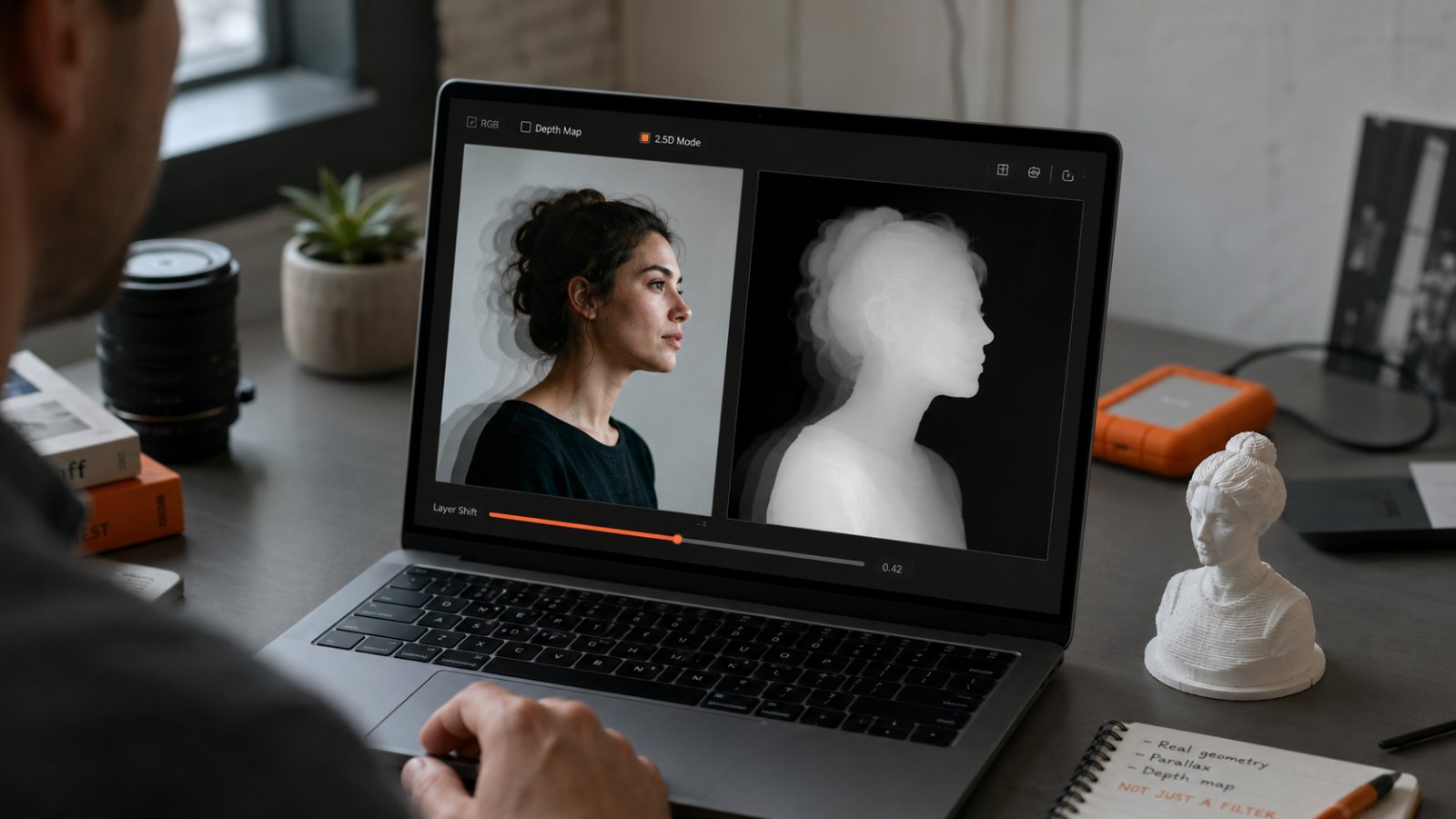
- Estimated a depth map from a single 2D photo using a neural network — a grayscale image where brighter pixels are closer to the camera.
- Used that depth map to drive a parallax animation, shifting the image's "layers" at different speeds to create the illusion of 3D motion.
The output was never a real 3D model. It was a 2D image plus a depth channel, animated to look three-dimensional from a small viewing angle. Move the virtual camera too far and the illusion breaks — the back of the subject doesn't exist, because no neural network can reveal what was never photographed.
This is what people in graphics call 2.5D. It's enough for social-media-friendly loops, scroll animations, AR-lite previews, and matte-painting parallax. It is not enough for 3D printing, measurement, asset libraries, or anything that requires walking around the object.
Free Depth Map Tools That Replace LeiaPix's Core Feature
If you just need the depth map itself — for parallax videos, displacement maps in Blender, or compositing — several free tools cover this well in 2026.
Upsampler
Upsampler runs Depth-Anything-V2, a NeurIPS 2024 foundation model trained on 595K synthetic labeled images and 62M+ real unlabeled ones. It's the highest-quality open monocular depth model widely available right now. No account needed — upload an image, get a depth map. Works on indoor rooms, outdoor landscapes, product shots, and portraits.
Kordu Depth Map Generator
Kordu runs the same Depth Anything model entirely in your browser via WebAssembly. The model downloads once on first use and caches locally. Your images never leave your machine, which matters if you're working with client photos, product prototypes, or anything you'd rather not upload. The output PNG works as a displacement texture in Blender, Cinema 4D, game engines, and video compositors.
Musely AI Depth Map Generator
Musely offers a "For Parallax Effect" preset that smooths gradients specifically for web parallax. It's the closest direct LeiaPix-replacement experience — upload, pick parallax mode, download.
DepthFlow (open source)
If LeiaPix's actual output — the parallax animation, not just the depth map — is what you need, DepthFlow by BrokenSource is the open-source toolkit for it. It takes an image plus a depth map and uses a GLSL shader to warp the image into a smooth parallax video. Runs locally, no cloud, no watermark, full control over camera motion. Pair it with Upsampler or Kordu for the depth map and you have the full LeiaPix workflow, free and self-hosted.
Depth Anything V2 (the model behind most of these)
For developers: the underlying model is on GitHub from the Depth Anything team. Models range from 25M to 1.3B parameters. The small variant runs at ~30 FPS on consumer GPUs — fast enough for video pipelines, not just stills. ByteDance has also released Depth Anything 3 for multi-view depth, if you're working on more advanced pipelines.
When a Depth Map Is Not Enough
This is the question the LeiaPix migration is quietly surfacing.
A depth map is a single viewpoint with distance information. It can drive parallax, displacement, layered animation, and AR-lite preview effects. It cannot:
- Show the back, side, or top of an object that wasn't in the original photo.
- Be 3D-printed as an accurate object — there's no closed mesh, only a heightmap from one angle.
- Be measured with confidence — monocular depth is relative, not metric.
- Be used as an asset in a 3D scene where the camera moves freely.
If your project ends with "post this to Instagram" or "embed this scroll animation on a landing page," a depth map is enough and the free tools above will do the job.
If your project ends with "send this to a 3D printer," "use this as an asset in Unreal," "measure this artifact for restoration," or "share a model someone can rotate freely in a viewer" — you need real geometry, not a depth channel.
Where Real 3D Photogrammetry Fits
Photogrammetry is the technology that captures actual 3D geometry from multiple photos taken from different angles. Instead of a neural network guessing depth from one image, the software triangulates real surface points from pixel overlaps between many images. The result is a closed mesh: a model with a front, back, sides, and measurable dimensions.
Replica is a native macOS photogrammetry app from Ambiens VR. The free tier processes up to 50 photos, exports USDZ natively, and unlocks OBJ, FBX, GLB, and STL through Blender — including watertight, print-ready meshes. Everything runs locally on your Mac; nothing is uploaded.
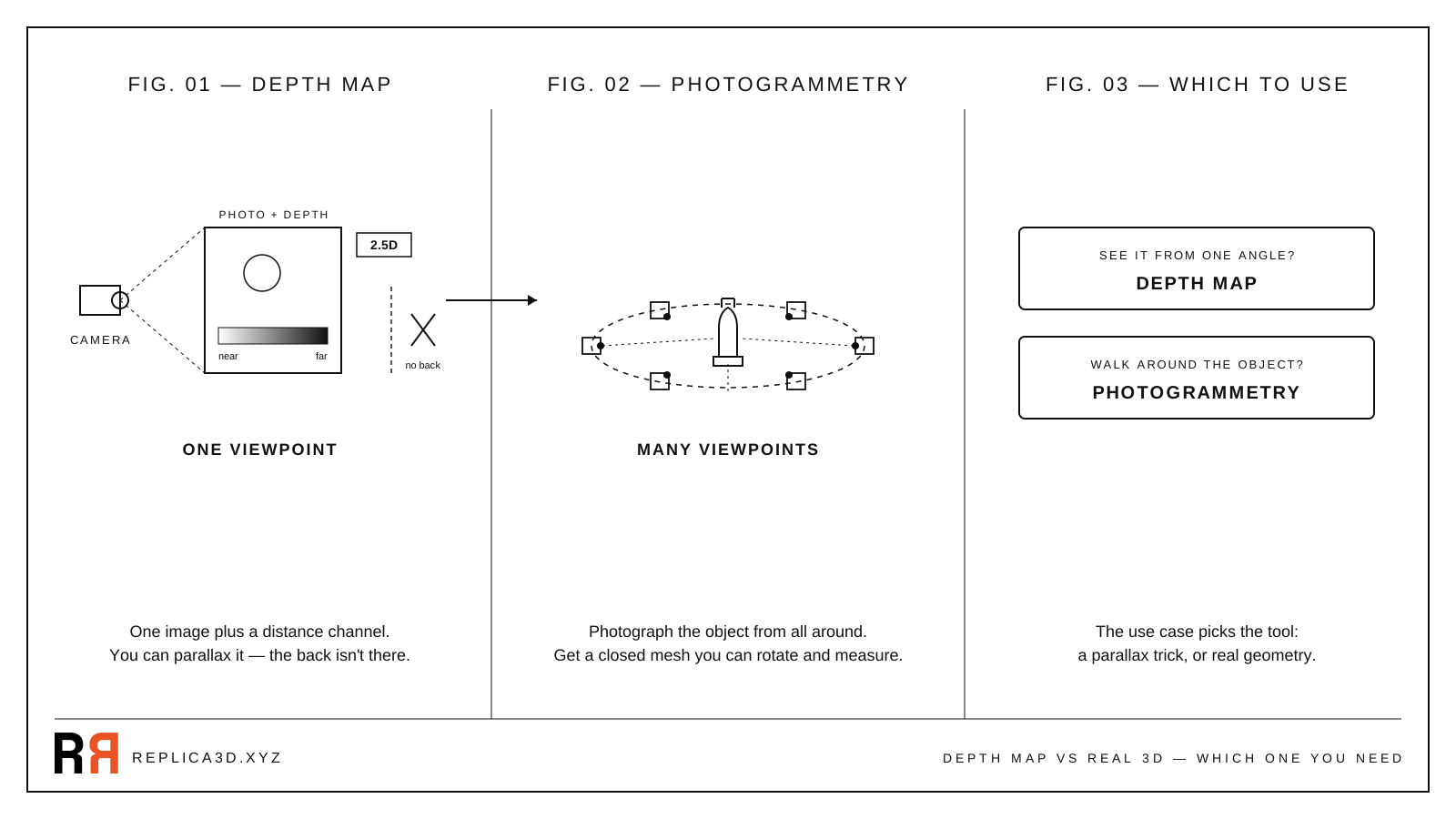 A depth map gives you one viewpoint plus distance. Photogrammetry gives you a closed mesh you can rotate, print, and measure.
The trade-off is real and worth stating: photogrammetry takes more effort than a depth-map tool. You need to actually walk around the object and capture 40–80 photos with good overlap, not just upload one. The payoff is geometry you can do anything with — not just an animation that breaks if the viewer tilts their phone too far.
For a step-by-step capture workflow, see How to 3D Scan With Just Your iPhone.
A Decision Framework
Pick based on what you're going to do with the output:
| What you want to do | Best free tool |
|---|---|
| Parallax animation for social/web | Musely (parallax preset) or DepthFlow + Upsampler |
| Depth map for Blender displacement / compositing | Kordu (runs locally) or Upsampler |
| Live-preview "spatial photo" effect | Kordu + DepthFlow |
| 3D print of a real object | Replica (photogrammetry) |
| Asset library mesh you can view from any angle | Replica (photogrammetry) |
| Measurement, documentation, restoration | Replica (photogrammetry) |
| Single-photo 3D "good enough" mesh | TripoSR or TRELLIS (AI generation) |
The line is geometric: need only one viewpoint? Depth map. Need to walk around the object? Photogrammetry.
A Free Practice Dataset
If you want to try real photogrammetry without first photographing your own object, we publish a free practice dataset — the Appian Tomb dataset — at ambiensvr.gumroad.com/l/appiantomb. Drop the photos into Replica's free tier and you'll have a watertight mesh on the other side, in a single afternoon.
The Honest Closing Note
LeiaPix's free era ending is annoying, but the depth-map technology behind it has gotten better, not worse, and the free replacements are real. Upsampler, Kordu, Musely, and DepthFlow cover the original LeiaPix use case more transparently than the original ever did — local processing, open models, no watermarks.
What the migration has also done, perhaps accidentally, is force people to look at what depth maps actually are. They're a clever 2.5D trick. They're not a substitute for real geometry when the project needs it.
If you've been LeiaPix-ing photos because the result looked "3D enough" and the next step in your workflow needed actual 3D — printing, measurement, asset reuse — the upgrade is photogrammetry, not a different depth-map tool. That's a different conversation about effort and capture, not pricing.
Download Replica for macOS, or check the manual for the full capture guide. Questions: info@ambiensvr.com.