
What Is Photogrammetry? A Plain-English Guide
Photogrammetry turns ordinary photos into a measurable 3D model. No special hardware, no lasers, no LiDAR. A phone, a few dozen pictures, and the right software are enough to reconstruct a real object as a digital twin — with accurate dimensions, real-world geometry, and the actual color and texture of the surface.
This article is the start of a ten-part series. We'll keep it grounded: no jargon for its own sake, no marketing detours. Just a clean answer to the question in the title, followed by what photogrammetry produces, where people actually use it, and what it isn't.
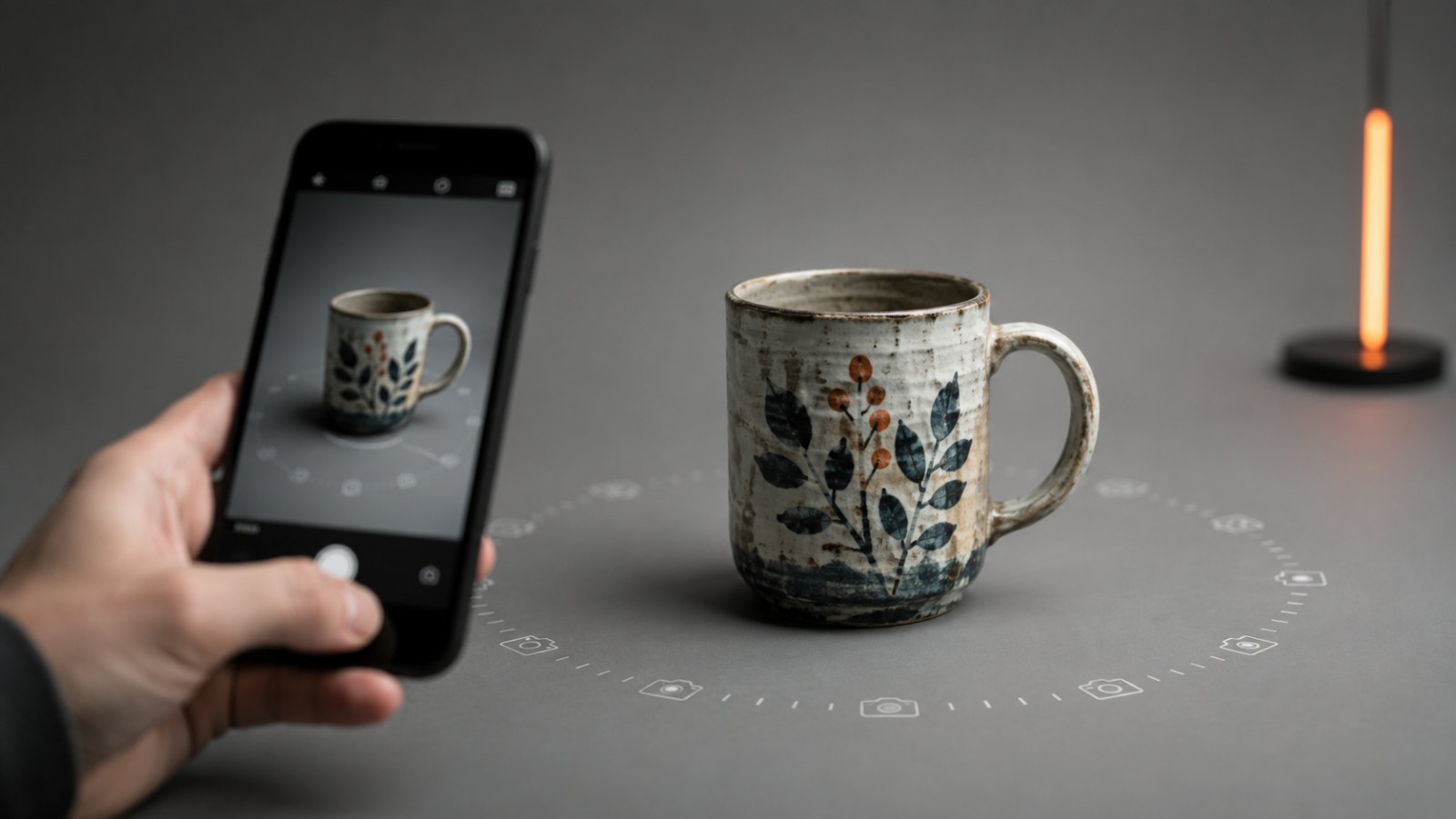
The One-Line Definition
Photogrammetry is the science of measuring real-world objects and scenes from photographs.
Take overlapping photos of something from many angles. Run them through reconstruction software. Get back a 3D model whose dimensions match the original. That's the whole idea. Everything else — point clouds, dense reconstruction, structure-from-motion — is plumbing.
The Everyday Analogy: Your Two Eyes
You already do photogrammetry, biologically, every second you're awake. Close one eye. The world flattens slightly. Open it again. Depth snaps back in.
Your brain compares the slightly different images from each eye and triangulates: this object is closer because it shifted more between the two views; that one is farther because it barely moved. The technical name is stereopsis. It's the foundation of every depth-perception system humans have built, including photogrammetry.
A photogrammetry algorithm does the same thing with dozens of cameras instead of two — or, more precisely, the same camera moved to dozens of positions. Each pair of photos contributes a depth estimate. Combine them all, and you get a dense map of 3D points covering the whole surface.
How It Actually Works, in Four Plain Steps
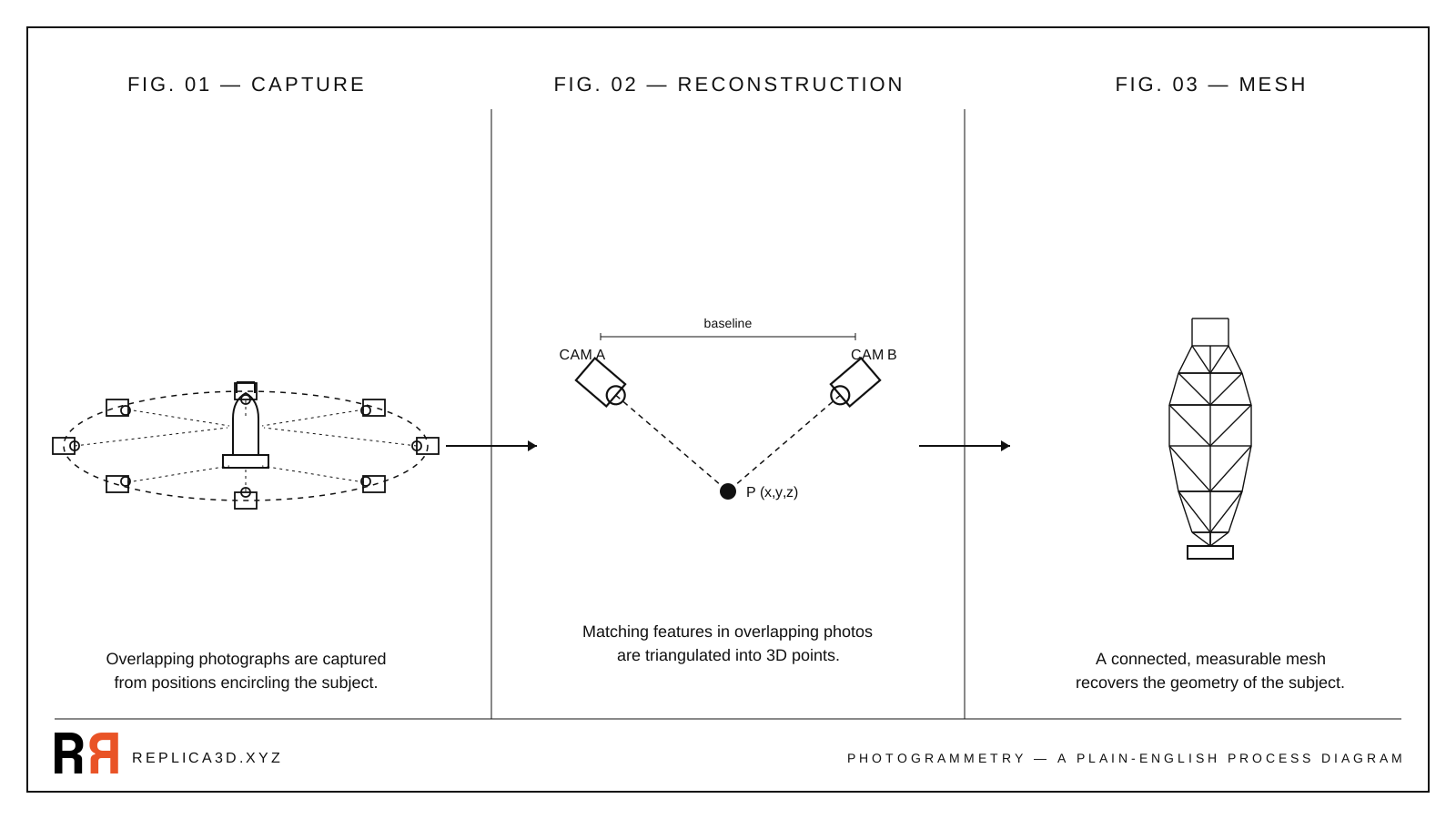
You don't need to follow the math to understand the workflow. Every photogrammetry pipeline — from open-source toolkits to consumer apps like Replica — does roughly this:
- Capture overlapping photos. Walk around the object. Every surface needs to appear in at least two photos, ideally three or more. Overlap between consecutive frames should be in the 60–80% range. (Pix-pro)
- Match features across photos. The software scans each pair of photos for visually distinctive points — a corner, a texture detail, an edge — and finds the same point in both images. This step is called structure-from-motion.
- Triangulate 3D points. For every matched feature, the algorithm knows the camera positions and the angles at which the point appears. It solves for where the point must be in space to satisfy both views. Repeat for hundreds of thousands of features and you get a dense point cloud.
- Build a textured mesh. The point cloud becomes a connected surface (a mesh of triangles), and the software projects the original photos back onto that surface to recover color and material detail.
The result: a 3D file you can rotate, measure, export, and print.
What Photogrammetry Produces
A finished photogrammetry scan gives you three things you usually can't get from any other consumer-grade capture method at once:
- Real geometry. The model's dimensions match the source object, accurate to within fractions of a millimeter for small objects under controlled conditions.
- Real color and texture. Every pixel of the original photographs ends up on the surface. The result looks like the object, not an artist's interpretation of it.
- A closed mesh you can use. Export as STL for 3D printing, OBJ or FBX for animation work, GLB for the web, or USDZ for Apple AR — same model, different containers.
This combination — measurable, photoreal, ready-to-use — is the reason photogrammetry has stuck around even as other 3D capture technologies have come and gone.
Where Photogrammetry Is Used Today
The list is wider than most people realize. The same core technique that gives you a 3D-printable rubber duck also powers entire industries:
- Cultural heritage. Museums and archaeologists scan artefacts and monuments so they can be studied, restored, or shown remotely. The Via Appia tomb in our free dataset is a tiny example of a workflow used at the scale of cathedrals and archaeological sites.
- Games and film. Studios capture real props, costumes, and locations and bring them into game engines as photoreal assets. It's faster than modelling from scratch and the result is convincingly real.
- E-commerce and product design. Brands turn physical products into interactive 3D viewers and AR previews so customers can spin them around before buying.
- Construction, surveying, and inspection. Drone-based photogrammetry produces accurate site maps, volume calculations for stockpiles, and inspection records of bridges, towers, and roofs.
- Science. Biologists scan specimens, geologists map outcrops, and forensic teams reconstruct accident scenes — all from photographs.
The common thread: someone needed an accurate 3D record of a real thing, and a camera was enough to get it.
What Photogrammetry Is Not
The 3D capture landscape is a forest of competing technologies, and the terms get mixed up constantly. To keep this article tight, here are the most common confusions — we'll dedicate a full piece to each in the rest of the series.
- Not AI 3D generation. Tools like Meshy or Seed3D produce a plausible 3D shape from a single prompt or photo. The shape didn't come from your object — it came from the model's training data. Photogrammetry only measures what your camera actually saw.
- Not LiDAR. LiDAR uses pulsed lasers to measure distance directly. It works in the dark, captures large outdoor scenes quickly, and produces a point cloud with intensity values — but not photoreal color. Photogrammetry needs light and texture, but it gives you real RGB textures every time. (YellowScan)
- Not a depth map. A depth map is a 2D image where each pixel encodes distance. It's useful for parallax effects and AI image editing, but it's not a real 3D object — you can't print it or rotate it freely.
- Not Gaussian Splatting. Splatting is a newer rendering technique that produces stunning view-dependent visuals, but the underlying representation isn't a mesh you can export to a slicer.
If those distinctions feel hand-wavy right now, don't worry. Article 3 of this series compares photogrammetry and 3D scanning head-to-head, and the AI 3D comparison comes a few articles later.
Try Photogrammetry With Your Own Photos
The fastest way to understand photogrammetry is to make a scan. You don't need new gear — a phone camera and a Mac are enough.
Replica is a native macOS photogrammetry app that processes everything locally on your machine. The free tier accepts up to 50 photos per project, which is enough to scan a small object end-to-end. Drop a folder of pictures in, hit start, and Replica handles the structure-from-motion, dense reconstruction, meshing, and texturing.
If you'd rather watch the process work on a known-good set of photos before going outside with your phone, download the free Appian Tomb dataset — 116 photos of a Roman tomb plus the finished 3D model. Drop the photos into Replica and you'll see exactly what a good capture set produces.
For step-by-step instructions, the Getting Started manual covers the full first-project workflow.
What's Next in This Series
Photogrammetry is the only camera-based method that produces measurable real-world geometry. Everything else in this ten-part series will build on that one idea: how to capture for it, when to choose it over alternatives, how to evaluate the output, and how to recover when your first scan fails.
Next up: How to Scan an Object: The Complete Capture Guide — the concrete walk-through, with photo counts, orbit patterns, and the most common first-attempt failures.
Questions? Reach out at info@ambiensvr.com.