
Photogrammetry vs AI 3D Generation: An Honest 2026 Comparison
AI 3D generation got really good in 2026. Single-image tools produce textured meshes in seconds. Multi-image ones add PBR maps and clean topology. The output is plausible enough that the question "do I still need photogrammetry?" is now a fair one.
The honest answer is yes, for a specific and growing set of jobs — and no, for a different and also growing set. The line between the two is sharper than it looks from a marketing demo, and it doesn't move much from year to year. This article puts both methods on the table and shows where each one wins.
This is article five of a ten-part series. The previous four covered what photogrammetry is, how to capture for it, where it sits next to LiDAR and structured light, and how many photos you actually need. With the capture side covered, the next question is which 3D method to use in the first place.
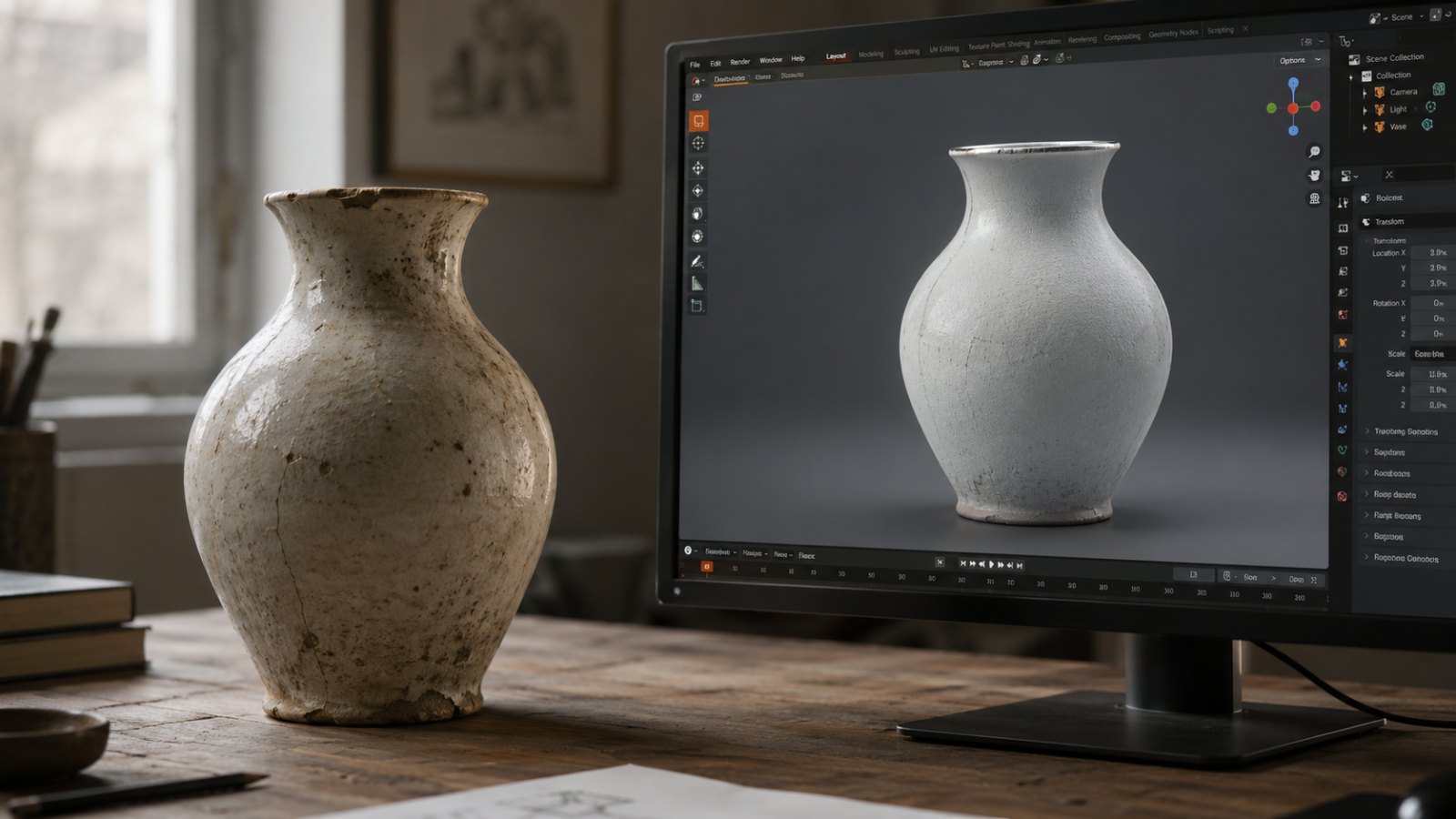
Two Pipelines Solving Different Problems

The shortest way to see the difference is to trace what each pipeline actually does to produce a mesh.
AI 3D generation takes one image (or a small set, or a text prompt) and predicts a 3D shape that is consistent with what it sees. Under the hood, a diffusion or transformer model has been trained on millions of paired image–mesh examples. At inference time, the model writes a mesh that looks like it could have produced the input image. The parts of the object the photo never showed — the back, the underside, the inside — are filled in from the model's training priors. The output is plausible. It is not measured.
Photogrammetry takes 40 to 300 overlapping photos of a real object and triangulates the surface from what the cameras actually saw. Software finds the same physical point across multiple photos, solves the camera positions, and reconstructs every point as a real intersection of sight lines. There are no priors filling in the back. If the back wasn't photographed, the mesh has a hole there. Every point on the mesh corresponds to a point on the real object.
Those two sentences — "plausible" versus "reconstructed" — are the whole comparison. Everything else is a consequence.
Where AI 3D Genuinely Wins
The 2026 generation of AI 3D tools is not a toy. There are workflows where generation is now demonstrably the better choice:
- Single-photo concept work. Mood boards, AR previews, game prototype set dressing, client pitches. If the mesh needs to look right, not measure right, generate it and move on.
- Style-driven assets from a text prompt. Stylized characters, props, low-poly game pieces, fantasy environments. A camera can't capture something that doesn't exist. AI can.
- One-click multi-color prints from a flat image. Some generators now export slicer-ready 3MF files with palette assignments included. For decorative prints and fan art, that pipeline is faster than any photogrammetry flow.
- Iteration before commitment. When the brief is still moving, generating fifteen variants in an afternoon beats scheduling fifteen capture sessions.
If your project lives in those buckets, the right tool is a generator, not a camera. Use the better tool. The decision is straightforward and the comparison stops there.
The Three Jobs Photogrammetry Still Owns
Where it gets interesting is the work AI 3D doesn't reach. These are not edge cases. They are the highest-value jobs in 3D, and the line hasn't moved meaningfully in the last twelve months.
1. Accuracy — anything you'll measure or manufacture
Close-range photogrammetry produces sub-millimeter precision on small objects under good capture conditions, with real-world scale set from a known reference distance. One vendor's comparison of current single-image AI 3D tools estimates shape accuracy at roughly 70–85% — closer to 85% for common shapes the model has seen many times, closer to 70% for unusual or complex ones. Those two numbers describe completely different operations.
If a downstream step is a clearance check, a fit, a replacement part that has to mate with something, or a CNC tool path, the geometry needs to come from physical measurement. Replica's Scale by Camera Distance operation locks absolute scale from a reference distance you measured during the capture. The result is a mesh you can put a ruler to.
Generated geometry comes out in arbitrary units, scaled to whatever the training distribution implied. You can rescale by eye for visual work. You can't rescale by eye for a part that has to fit.
2. Provenance — your photos, your model, your license
This is the one most users miss until they need it.
When you capture with photogrammetry, the input is photos you took and the output is a model derived from those photos. The chain is clear: you own the photos, you own the model. There is no third-party training set, no learned prior, no question about whose data went into the result. If a client, a court, or a marketplace asks where the geometry came from, the answer is "from these 116 photos in this folder."
AI 3D generators sit on top of training data with varying provenance and license terms. The output license also varies — free tiers sometimes ship under CC BY 4.0 with attribution requirements, paid tiers often require keeping a subscription active, and the question of what derivative rights the underlying training data carries is, depending on the tool and jurisdiction, still unsettled. For internal concept work, none of this matters. For commercial deliverables, archival assets, or anything that will outlive the subscription, it matters a lot.
A full breakdown of which tools are actually free, and what "free" means in each one, is in Image to 3D Model Free: What's Actually Free in 2026.
3. Existing geometry — the real object on your desk
AI 3D generates plausible shapes. Photogrammetry captures specific shapes. The difference matters as soon as the object you care about is a particular one.
If you photograph a broken handle and want a 3D-printed replacement, the new part has to fit the original. A generator can produce a handle-shaped object. Photogrammetry produces a model of that specific handle — the worn edge, the slight asymmetry from years of use, the chip in the corner that determines whether the new piece sits flush. The same logic applies to a Roman tomb, a museum artifact, a product on a shelf, a face, a foot, a tooth. The value is in the specifics, not in a generic version of the category.
This is also the boundary that doesn't close with better models. A generator trained on a billion 3D objects still doesn't know about the one on your desk. It can't. The photo carries information about that specific surface; the model carries information about the average of its training set. Those are different things.
A Decision Framework
| AI 3D Generation | Photogrammetry (Replica) | |
|---|---|---|
| Input | 1 image, or text, or a small set | 40–300 overlapping photos |
| Time | Seconds | Minutes to a few hours, locally |
| Geometry source | Learned priors + visible cues | Triangulated from real photos |
| Hidden surfaces | Invented from training | Captured if photographed |
| Real-world scale | Approximate | Sub-millimeter with reference |
| Provenance | Depends on training data and license | Your photos, your model |
| Failure mode | Smooth, plausible, wrong | Holes where coverage was missing |
| Best for | Concept, prototype, stylized, single-image, iteration | Measurement, manufacturing, archive, replication, real objects |
The two pipelines aren't competing for the same job. They live on either side of one clear question: does the geometry need to be plausible, or does it need to be real?
Plausible is enough for an enormous and growing share of 3D work. Real is necessary for the rest of it — and the rest of it includes the most consequential jobs.
The Hybrid Pattern That's Working
The interesting pattern emerging in 2026 isn't "AI replaces photogrammetry." It's teams using both, deliberately, at different stages of the same project.
- Concept pass. Generate quick AI 3D mockups to align with a client or director on direction. No camera, no capture session, no rework cost if the direction changes.
- Production pass. Once direction is locked, capture the real object with photogrammetry. The mesh ships into the same downstream pipeline — Blender, Unreal, Unity, slicer.
- Variant pass. Use AI tools for stylized variants, retopology assists, or texture generation layered on top of the real captured geometry.
That pattern shows up in the per-tool deep dives. The structure is consistent: AI tool ships → here's what it does well → here's what photogrammetry still does better → here's how to use both. Recent entries cover Seed3D 2.0 and Meshy v6, Meta SAM 3D, and Autodesk Wonder 3D. If you want the tool-by-tool breakdown, those are the deep reads.
Where Replica Fits
Replica is the photogrammetry side of that hybrid pattern. It runs natively on a Mac, processes locally without uploading anything to a cloud, and exports USDZ, OBJ, FBX, GLB, and 3D-printable STL. No per-token billing, no queue, no subscription required to keep your files openable. Replica Link lets you shoot from a phone in the field and trigger reconstruction on the Mac in the studio without moving files around.
The free tier accepts up to 50 photos per project — enough to scan most small objects and to verify your capture pattern works end to end before committing to a paid project.
If you want to feel the difference yourself, the fastest way is a side-by-side test on the same physical object. Generate it with any AI 3D tool you like, then capture it with Replica. The first time you compare the two meshes of the same object, the dividing line stops being theoretical.
A good starting point is the Appian Tomb dataset — 116 photos of a real Roman tomb on the Via Appia, plus the reconstructed model, free on Gumroad. Drop the photos into Replica, generate the same tomb from a single image in any AI tool, and compare what each method gave you.
Next in the Series
The next question, once you've picked photogrammetry for the job, is what camera settings to actually shoot at. Article six — Best Camera Settings for Photogrammetry (Phone or DSLR) (coming soon) — covers the four levers (aperture, ISO, shutter, focus) with target values and the reasoning behind each one.
Questions or a capture-versus-generate decision you want a second opinion on? Reach out at info@ambiensvr.com.